Your trackpad is the wheel.
Click the wheel to grab it, then circle one finger. Every notch ticks under your finger with a click you can feel, on any Force Touch trackpad.
New For Mac · works with Spotify
Your Spotify library on a little iPod at the edge of your Mac's screen.
Circle a finger on your trackpad and feel every click.
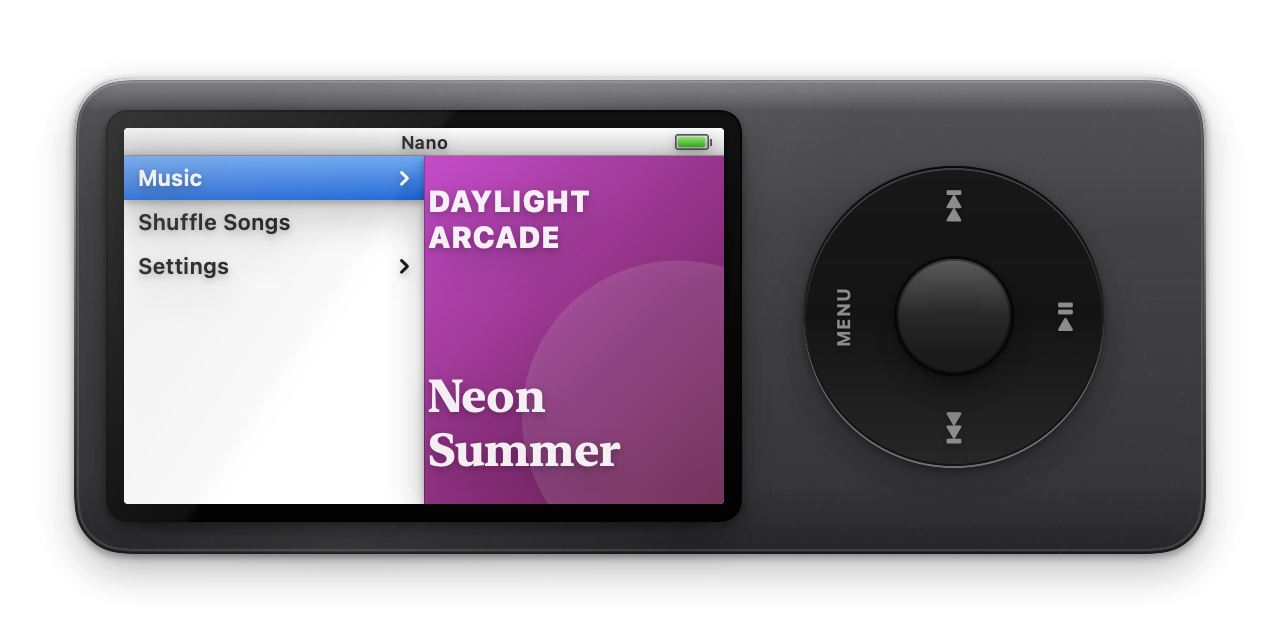
That's the feel. Now imagine it on your Mac, playing your own music.
Get PlaylistPick the one you had. Click any of them to try it above.
Click the wheel to grab it, then circle one finger. Every notch ticks under your finger with a click you can feel, on any Force Touch trackpad.
Playlist is its own Spotify speaker. No Spotify window, no phone, no browser tab. Open it and press play.
Flip through your albums and playlists. Click one to turn it over and pick a song.
It peeks from the edge of your screen and slides out when a new song starts. Esc tucks it away.
One payment. No subscription. Your key arrives straight away.
Cards, UPI and netbanking through Razorpay.
Got a Founding code? The first fifty get Playlist free, for good, and their number in the About screen.
Needs macOS 15 or later and Spotify Premium. Already have a key? Download Playlist.
I wanted the click wheel back. Not the look of it: the feel. The tick under your thumb, the menus you could work without looking. So I built it for my Mac. — Jaspreet
Write to jaspreet.work099@gmail.com. I answer every one.
A Mac on macOS 15 or later and Spotify Premium. A Force Touch trackpad gives you the haptic tick; a mouse works too (scroll to turn).
Spotify only lets small apps connect a handful of accounts. So Playlist connects through a free Spotify app of your own. It takes two minutes, and Playlist walks you through it step by step.
No. You sign in with Spotify directly, and your library stays between your Mac and Spotify.
Not yet. Apple Music is next.
Yes. A key works on 2 Macs at once; choose Settings → About → Deactivate This Mac to free one.
No. Playlist is an independent app inspired by the iPod nano. It isn't affiliated with Apple or Spotify.